
How to Search Cases by Name
Both clerk pages point to the same place. That destination is the official Hutchinson County Courts Records Inquiry link for district and County Court records. That screen presents User ID and Password fields. There is no guest name-search form on the public side. Don't count on a last-name box, a date filter, or anonymous access. If the screen wants credentials, the clerk's office is the next stop.
- Identify the court from a notice, citation, pleading, or other case paper.
- Open the county-linked Odyssey inquiry and see whether the current access screen permits a search.
- If it requires credentials, register for re:SearchTX or contact the owning clerk rather than guessing a login.
- Use the full legal name as it appears in the case, then narrow the result by court and known date where a tool offers those controls.
- Open the matching case description and compare its cause number, court, and filing details with the paper in hand.
- Confirm uncertain or time-sensitive information with the court before relying on it.
The login gate hides the details that usually help a name search. Field order, partial-match behavior, filters, result columns, refresh timing, and document fees all sit behind it. Only the parts of the system the public can reach can be described with confidence.
| Search Surface | Verified Input | Access | Use |
|---|---|---|---|
| Local Odyssey | User ID and Password | Login observed | County-linked records inquiry |
| re:SearchTX | Keyword plus available filters | Account and role based | Cases, filings, text, hearings |
| OCA notices | Name, cause number, court/county, status | Public search | Citations and notices only |
Hutchinson County Odyssey Login Gate
The county's Odyssey Public Access destination is an official, county-linked source. Its title reads "Hutchinson County Courts Records Inquiry," then "Welcome to Odyssey Public Access." Past that welcome, the credential screen stops anyone without a private account. So the public never sees a result layout here. Treat this as an access limit, not a dead end. District Clerk Tammy McBrayer holds the district criminal, civil, family, and juvenile records. County Clerk Kelly Ratliff holds constitutional County Court misdemeanor, probate, and guardianship records. When the inquiry screen asks for a login, either clerk can help. That clerk can explain the current route to the record.
How to Search by Case Number
Hutchinson County sources call it the "Cause" number. There is no single published mask or segment-by-segment code covering every court. Type the number exactly as printed, punctuation included, when the tool accepts it. The safe pattern is CAUSE NUMBER AS FILED, not some invented year-type-sequence guess. Always pair the number with its court. That means 84th District Court, 316th District Court, constitutional County Court, JP Precinct 1, JP Precinct 2, Borger Municipal Court, Fritch Municipal Court, or Stinnett Municipal Court. For an appeal, TAMES accepts the trial-court case number. OCA's statewide notice search makes the same point. Start with the cause number and the court. That pair beats a common name every time.
Hutchinson County Cases in re:SearchTX
The re:SearchTX portal adds a statewide layer. You sign in with eFileTexas credentials or register. Its search menu covers Cases, Filings, Text in Documents, and Hearings. Run a keyword search first. Then apply the filters on the left, open a case description for Case Details, pick a filing for Filing Details, or choose a hearing type for more information. Advanced search is available from all four areas. The official material does not spell out every advanced field, though. Saved searches and exports are both documented. Public document purchases can carry charges. The system describes a per-page charge with statutory limits. So check the current price and availability before you buy. Access is role based, too. Documents with sensitive data or security-rule protection stay out of public view. Statewide coverage is no promise that every Hutchinson County criminal, older, sealed, or juvenile record will surface. Note that eFileTexas is the filing system, not a separate public docket search.
What a Case Search Shows
A Hutchinson County County Court docket sample shows the fields that identify a matter, and re:SearchTX documentation confirms that case, filing, and hearing detail may live on separate views. Not every field shows on every public screen. Keep one thing in mind: a docket is an index or schedule of case activity. It is not necessarily the complete file.
| Cause Number | The primary locator used across the docket, clerk request, and other search layers. |
|---|---|
| Court and Judge | The court identity routes the record to its custodian; a judge name alone does not prove a current assignment. |
| Party Label | The sample uses Defendant, but party labels differ by case type and court. |
| File Date | The date tied to a filing or row, not automatically the hearing date. |
| Charge or Offense | A descriptive charging field, not a judgment or final disposition. |
| Hearing or Setting | An event such as arraignment; a setting does not mean the case was decided. |
| Filed Stamp | An administrative acceptance mark, not the outcome. |
The county does not publish its disposition codes or abbreviations. When a code looks strange, ask the owning clerk rather than guessing at a result.
Hutchinson County Notice Search Fields
The Texas OCA Citations and Notices search works well as a fallback for public notices. It is not a complete Hutchinson County case lookup, though. You get a General Search plus an alternate search. The fields include Name (described for Respondent, Estate, or Property), Cause Number, Court/County, and Status.
| Field | Best Practice |
|---|---|
| Cause Number | Start here when known. |
| Court/County | Choose the court or Hutchinson County to narrow the notice. |
| Name | Enter a few words; a suffix wildcard can match a prefix. |
| Status | Use it to narrow notice status, not general case status. |
A result can display Name, Cause Number, Court/County, Status, and Action, with details one click away. Remember, the scope is posted notices and citations, not every docket event or filing.
County vs Statewide Case Search
County and state systems overlap, but they do different jobs. Use the local inquiry for a known Hutchinson County district or County Court matter. Turn to re:SearchTX when a statewide participating-court search, filing search, hearing search, or text search could help. Neither one replaces the clerk when a record is missing or restricted.
| re:SearchTX | Hutchinson County Odyssey |
|---|---|
| Statewide, account and role based | County-linked local inquiry |
| Cases, filings, text, and hearings documented | Public field and result inventory not exposed |
| Document purchases and security rules may apply | Login screen observed during research |
| Useful beyond one county | Best starting link for known local trial matters |
TAMES is a third layer, built for Hutchinson County appeals to the Seventh Court of Appeals. It offers Case Search and Document Search. Filters cover case number, case type, filing dates, style, attorney or bar number, trial-court case number, county, and court. The data refreshes nightly. It cannot stand in for the trial clerk in real time.
Hutchinson County Court Directory Check
Before calling an office, check names and court levels in the official OCA live directory. It lists current Texas courts and their personnel.
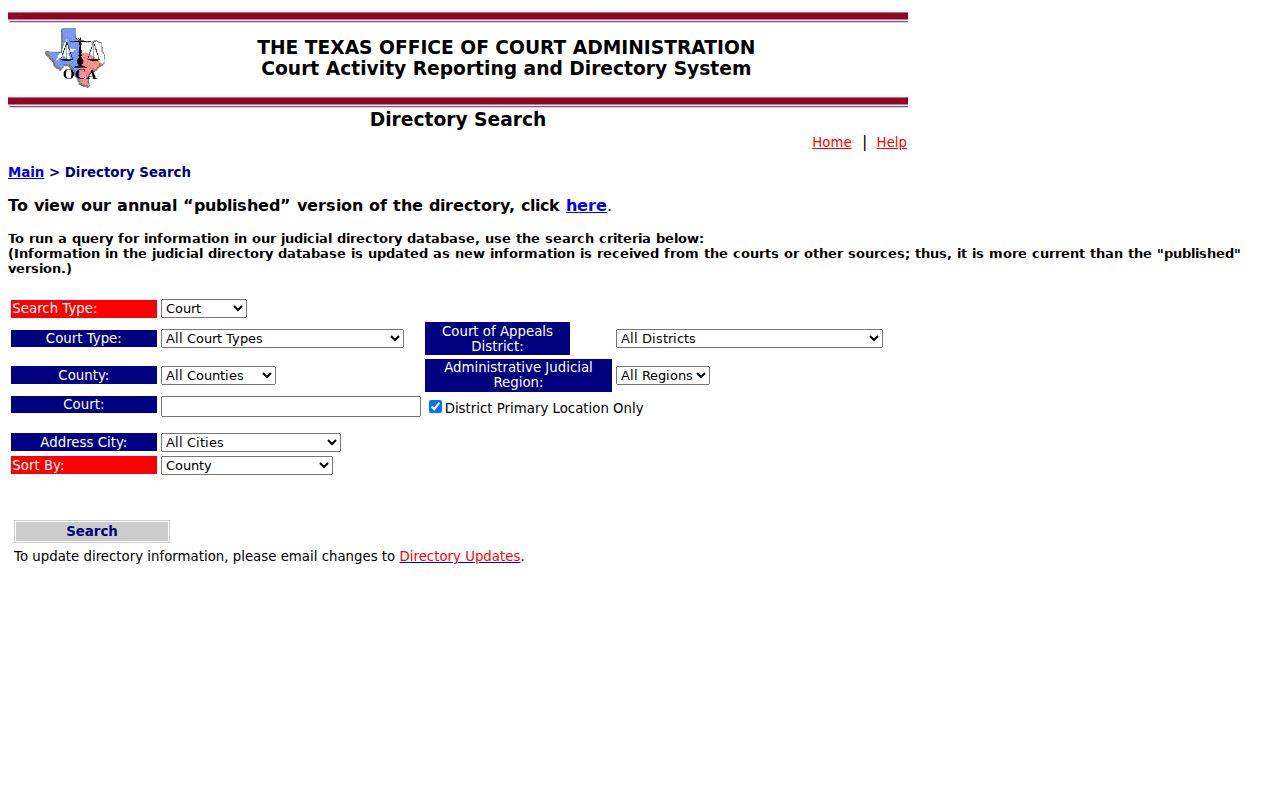
The directory confirms court level and official personnel. It does not replace the county docket, supply private case details, or promise a public case-search link.
Restricted Cases and Access Rules
An empty result has many explanations. The matter may be sealed, juvenile, expunged, or nondisclosed. It may fall outside portal coverage, remain unindexed, sit behind a document-security role, or belong to another court entirely. None of that proves no record exists. Texas filing rules also restrict sensitive identifiers. The public may see an event index while the document itself stays unavailable.
Statute, court rules, common law, and the court or clerk all govern case records. Texas Rule of Judicial Administration 12 covers judicial records, but it is not a shortcut around case-file restrictions. A requester should state the precise court, the cause number, the filing, the approximate year, and the format wanted. The clerk can then say which route fits: public, redacted, certified, or court-authorized copy.
No Result Is Not No Case. Confirm a missing Hutchinson County record with its owning clerk before drawing any conclusion.
Find an Older Hutchinson County Docket
The county portals state no official date range and make no microfilm claim. For an older matter, start by identifying the court and the approximate year. Then give the clerk the cause number, the case type, and the parties’ official case identifiers as known. Name the exact item you need. Ask whether the material is archived. Ask whether copies require a counter visit, mail, or another process.
The County Clerk is 806-878-4002 and the District Clerk is 806-878-4017. Both offices sit at 515 S. Main Street, Stinnett. The county posts Monday through Thursday hours. Mail addresses are published. But no court-copy mail form, payment method, required envelope, identification rule, or turnaround is stated. Confirm the process before sending money or private documents. For a hearing rather than a file, the Hutchinson County court dates route works. Still, confirm with the owning office.